> ## Documentation Index
> Fetch the complete documentation index at: https://docs.muna.ai/llms.txt
> Use this file to discover all available pages before exploring further.
# muna compile
> Compile a Python function for deployment.
The `compile` command compiles a Python function into a self-contained binary predictor that runs natively
on server, desktop, mobile, and web.
## Usage
```bash icon="terminal" theme={null}
$ muna compile [OPTIONS] PATH
```
| Argument | Description |
| :------- | :------------------------------ |
| `PATH` | Path to your Python source file |
## Options
| Option | Description |
| :------------ | :--------------------------------------------------------------- |
| `--overwrite` | Delete any existing predictor with the same tag before compiling |
## Compiling a Function
First, define a Python function with the `@compile` decorator:
```py greeting.py icon="python" theme={null}
from muna import compile
@compile(
tag="@your-username/greeting",
description="Say a friendly greeting."
)
def greeting(name: str) -> str:
return f"Hey there {name}! We're glad you're using Muna."
```
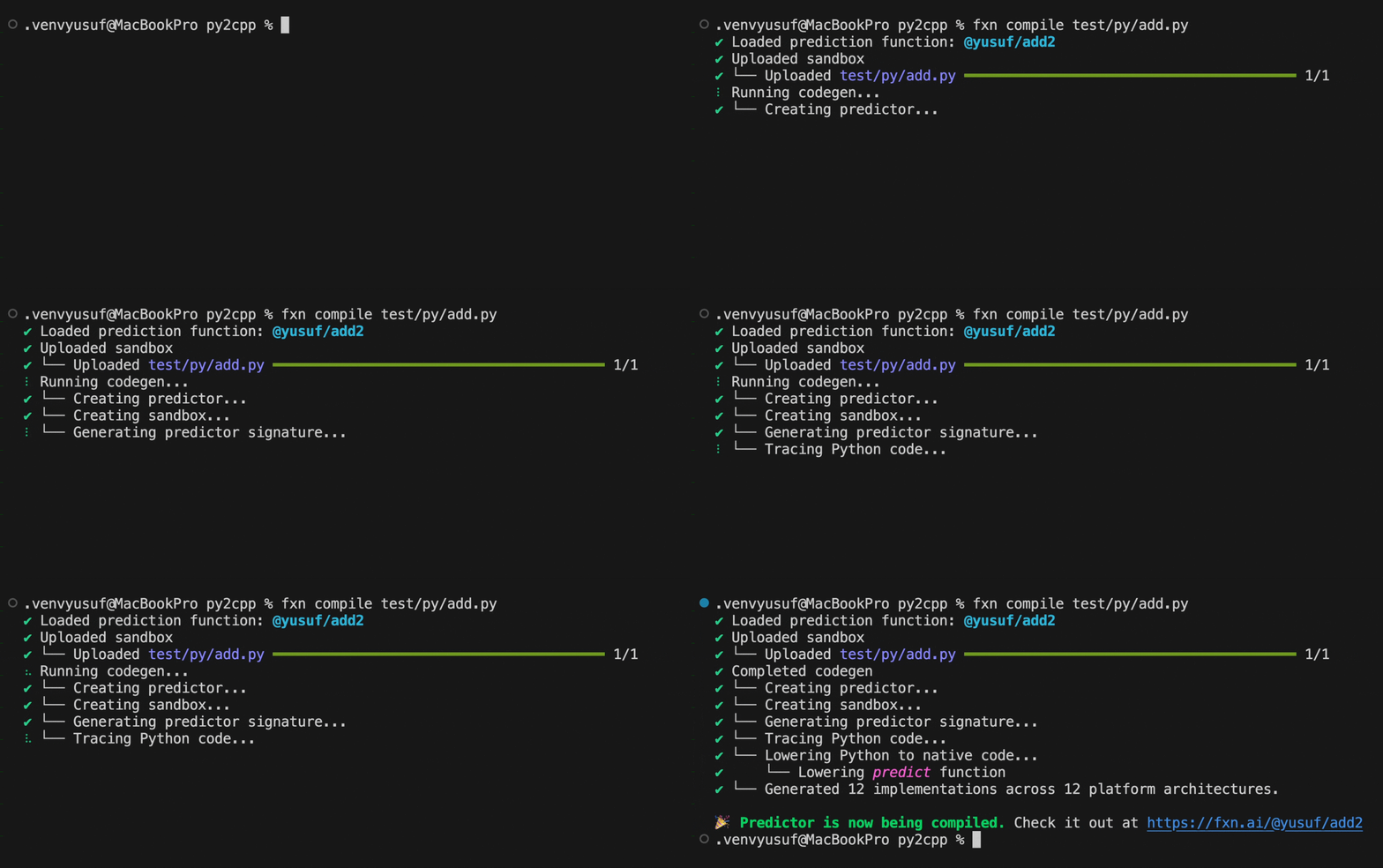
Then compile it:
```bash icon="terminal" theme={null}
# 🔥 Compile the predictor
$ muna compile greeting.py
```
 ## Overwriting Predictors
If you've already compiled a predictor with the same tag, use `--overwrite` to replace it:
```bash icon="terminal" theme={null}
# 🔥 Recompile and overwrite existing predictor
$ muna compile --overwrite greeting.py
```
Overwriting a predictor immediately replaces the previous version. Any applications using the
predictor will start using the new version on their next prediction.
## What Happens During Compilation
When you run `muna compile`, the CLI:
1. Parses your Python source file
2. Identifies functions decorated with `@compile`
3. Uploads the source code to Muna
4. Performs code generation and transpilation to native C++
5. Compiles binaries for all supported platforms
Compilation time varies based on function complexity. Check the status at
[muna.ai/predictors](https://muna.ai/predictors).
## Next Steps
Learn how to define compilable Python functions.
Understand the requirements for compiled functions.
## Overwriting Predictors
If you've already compiled a predictor with the same tag, use `--overwrite` to replace it:
```bash icon="terminal" theme={null}
# 🔥 Recompile and overwrite existing predictor
$ muna compile --overwrite greeting.py
```
Overwriting a predictor immediately replaces the previous version. Any applications using the
predictor will start using the new version on their next prediction.
## What Happens During Compilation
When you run `muna compile`, the CLI:
1. Parses your Python source file
2. Identifies functions decorated with `@compile`
3. Uploads the source code to Muna
4. Performs code generation and transpilation to native C++
5. Compiles binaries for all supported platforms
Compilation time varies based on function complexity. Check the status at
[muna.ai/predictors](https://muna.ai/predictors).
## Next Steps
Learn how to define compilable Python functions.
Understand the requirements for compiled functions.