Muna compiles stateless Python functions into self-contained executable binaries.
Your Python code is lowered directly to native code, and does not rely on the Python runtime (or any other managed runtime).

Defining a Function

Write your function, add a docstring, then wrap it with our @compile decorator:
greeting.py
from muna import compile

@compile()
def greeting(name: str) -> str:
    """
    Say a friendly greeting.
    """
    return f"Hey there {name}! We're glad you're using Muna and we hope you like it."
The docstring is used as a description, is required, and must be 100 characters or less.
The function must specify parameter and return type annotations. Learn more.

Compiling the Function

Use the Muna CLI to compile the function. First, make sure you are logged into the Muna CLI:
# Login to the CLI
$ muna auth login <access key>
Then run the following command:
# Compile the function
$ muna compile --overwrite greeting.py
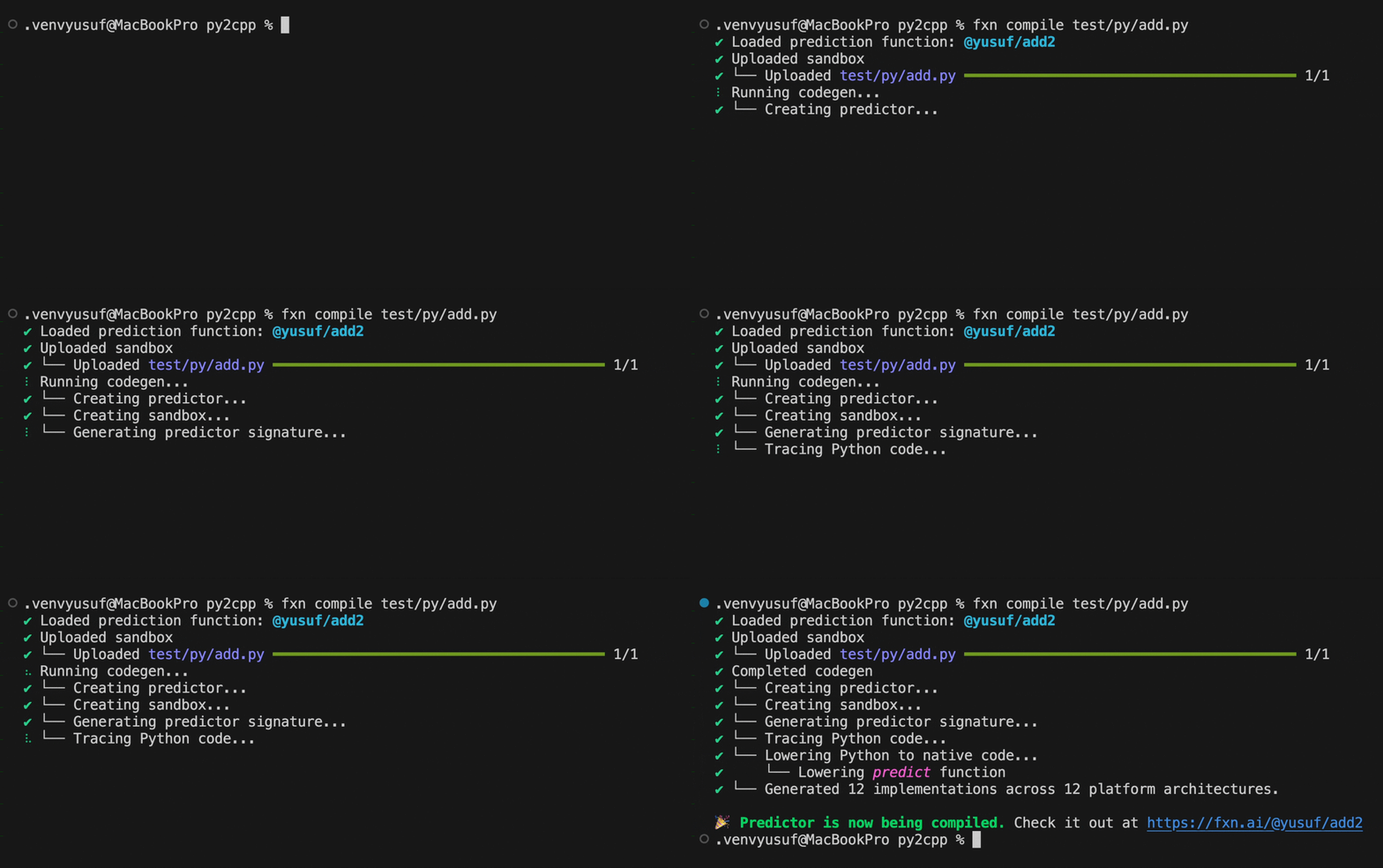
Muna will upload your code, perform code generation on your function and its dependencies, then compile for our supported platforms:

Using the Function

Depending on the complexity of your function, it can take anywhere from a few seconds to a few minutes for the function to be compiled for all platforms. Once the function is compiled, you can run it everywhere:
import { Muna } from "muna"

// 💥 Create your Muna client
const muna = new Muna({ accessKey: "..." });

// 🔥 Make a prediction
const prediction = await muna.predictions.create({
    tag: "@your-username/greeting",
    inputs: { name: "Lina" }
});

// 🚀 Print the result
console.log(prediction.results[0]);
You can check the compilation status of the function at muna.ai/predictors.
Muna currently takes longer to compile functions for macOS, iOS, and visionOS due to limited Mac compilation server capacity. We are working to provision more servers.